Charge as a B2B client at Eleport
How to charge as a business?
Manage your company’s EV charging — with monthly consolidated invoicing and easy access to Eleport’s growing network.

Why become an Eleport Business Customer?

Monthly consolidated invoices

Receive one clear monthly summary of all charging sessions for accounting purposes.

Simple expense tracking

Keep charging costs organized across drivers, vehicles, and locations

Fast access to high-power charging

Charge at Eleport stations from the Baltics to the Adriatic

Roaming partner access

Use partner apps to charge at Eleport stations — more flexibility for your team

Get the app

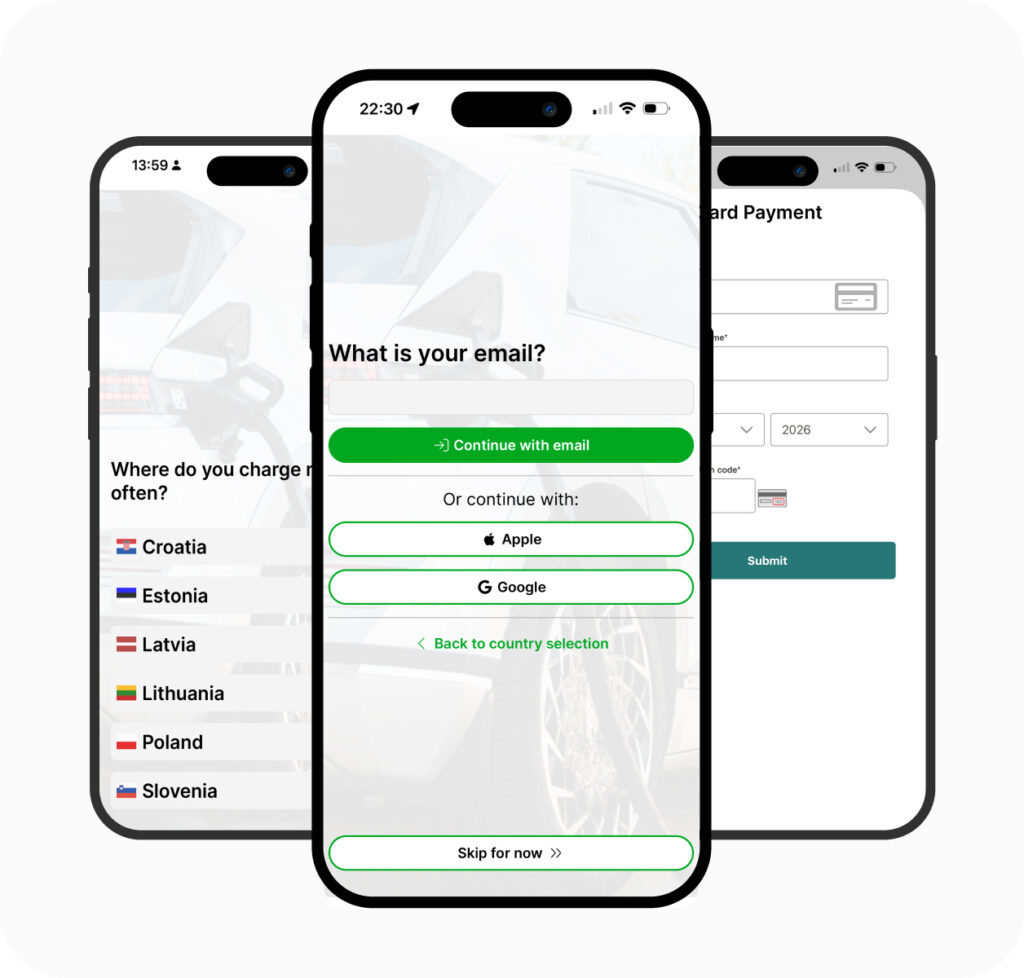
Download the new Eleport App, register your account and add valid payment method

1

Get the Eleport App

2

Select your country

3

Type your email

4

Create password and sign up

5

Add valid payment method

Set up invoicing

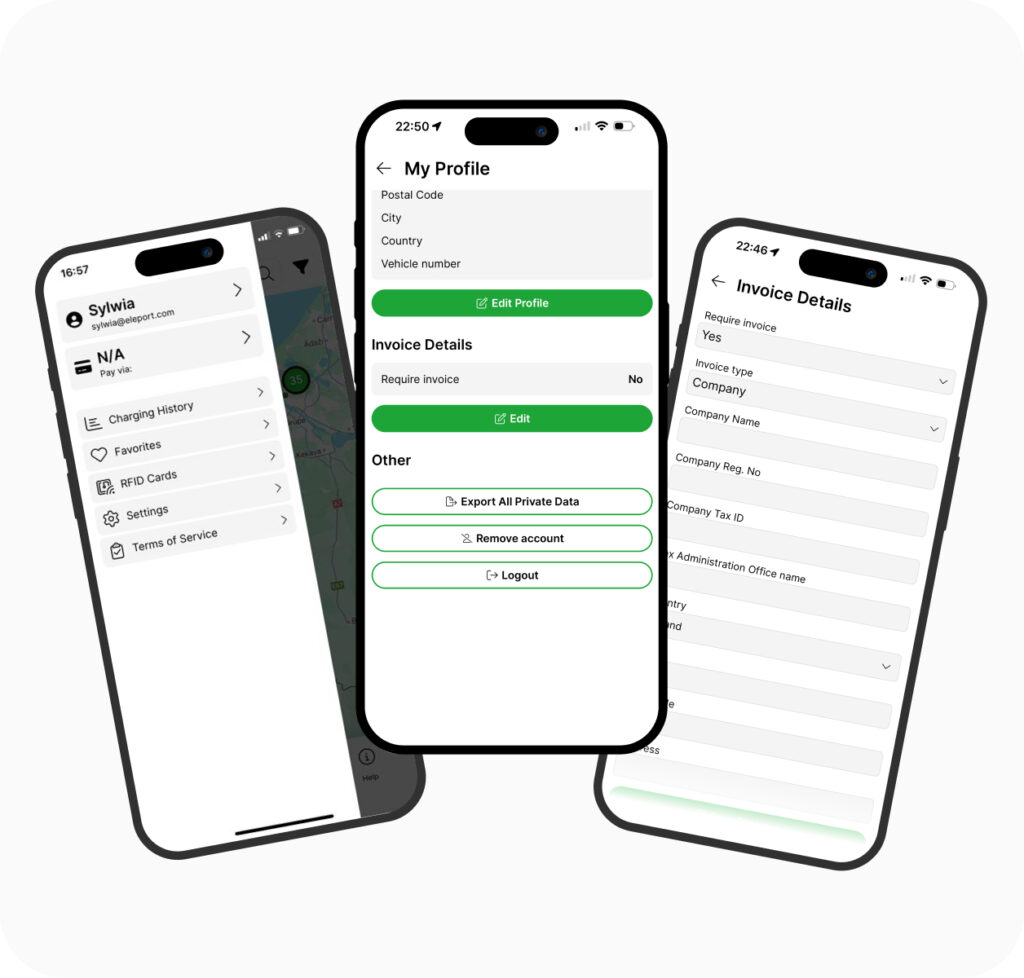
Enable monthly consolidated invoices in the Eleport App

1

Click on your profile

2

Scroll to Invoice Details

3

Set “Require invoices” to “Yes”

4

Choose invoice type to “Company”

5

Enter your company details and save

You can also charge with roaming partners apps

FAQ

By default, all charging sessions are pay-as-you-go, and a receipt is automatically sent to your email after each session. 

If you’d like to receive a consolidated monthly invoice for accounting purposes (a summary of already paid sessions, not a payable invoice), please follow the instructions above. Setting up invoices does not impact the automatic receipts you receive after each charging session. 

 To ensure your company details appear on the invoice, make sure to select “Company” as the invoice type instead of “Individual.” 

This option is available only for Partner accounts.   

If you would like us to submit your request for monthly invoicing, please send an email to jurgen.jurgenson@eleport.ee with the subject line: “Monthly invoicing request from [Company name]”. We will review your request. 

If you see a logo of an app you use in the section above, it means you can also use that app to charge at Eleport stations—just use it as you normally would via the app or RFID. 

At the moment, we do not issue Eleport RFID cards or tags, but you can use third-party RFID cards with our network. 

You can register your card or tag in two ways in the Eleport App: 

Option 1: Register manually  

  1. Open the Eleport App menu  
  2. Go to RFID Cards
  3. Tap Enter RFID Tag Manually
  4. Enter the RFID tag number and give it a name
  5. IMPORTANT: Ensure the RFID card/tag is linked to a valid payment method — otherwise it won’t work
  6. Tap Add RFID Tag button to complete the process  

Option 2: Register at a charging station (scan method)  

  1. Open the Eleport App menu  
  2. Go to RFID Cards and tap Add RFID Tag  
  3. Read the on-screen instructions  
  4. Tap Scan QR Code and scan any Charge Point QR code displayed at the station
  5. Tap your RFID card/tag on the card reader (look for the RFID icon on the charger screen area)
  6. Name your RFID tag and connect it to a valid payment method
  7. Tap Add RFID Tag button to complete the process 

After registration, you can charge easily without opening the Eleport App — just tap your RFID card/tag on the reader next time.